Japanese speech can leave the subject unstated because everyone in the conversation knows who is being discussed. An English subtitle often needs that subject. When translating an interview, class recording or work update, check the context before accepting an English “I,” “we” or “they.”
Choose Japanese → English in Transly for nearby speech or capturable playback. For a local video you intend to publish with English subtitles, use Video Translator by Transly and review a complete subtitle project.
Start with the meaning you need to preserve
This line promises a response, not agreement with the suggestion. If the context is an individual speaking for themselves, “I'll consider it” may be more appropriate. Listen to the previous exchange and identify the speaker before editing the English.
That small check is useful in three different settings:
- An interview: whose experience or opinion is being described?
- A class: is the teacher explaining a general rule or assigning work to students?
- A work update: is an action decided, proposed, or still being discussed?
Give a Japanese video an English subtitle track
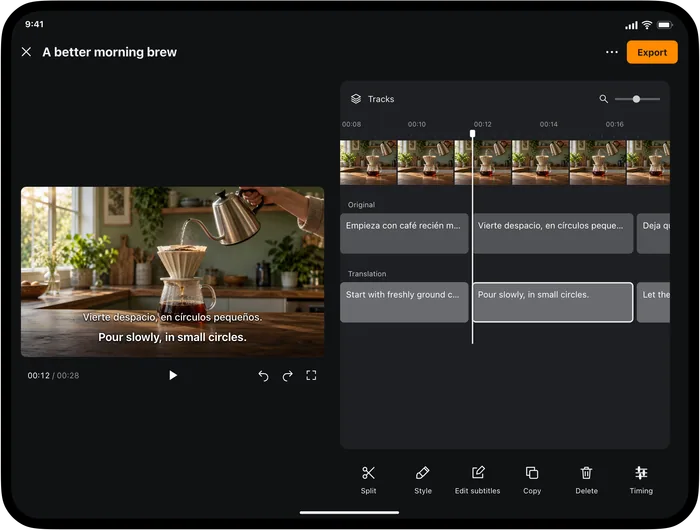
Import the finished local video in Video Translator on iPhone or iPad. Set Japanese as the source and English as the target, choose the subtitle-project workflow and wait for the full project before reviewing it.
| Japanese recording | English subtitle |
|---|---|
| 最初は音が小さすぎました。 | The sound was too quiet at first. |
| マイクを近づけて、もう一度撮り直しました。 | We moved the microphone closer and filmed it again. |
SRT
1
00:00:01,000 --> 00:00:03,800
The sound was too quiet at first.

2
00:00:04,000 --> 00:00:07,000
We moved the microphone closer and filmed it again.
Review the original transcript before correcting the English. A wrong name or missed negative in Japanese can produce a grammatical but misleading translation. Keep names consistent with the speaker's preferred English spelling, titles or credits.
For a subtitle that runs beyond the speaker's next thought, shorten redundant wording without removing the point. Replay the cue with the video, then use the subtitle editing guide to adjust text and timing. Export the English SRT or WebVTT only after checking the final video cut.
Use a recording to prepare for class
If you have permission to use a class video, local-video translation can help you follow an unfamiliar explanation in English. Note the moment a new term appears, keep its Japanese spelling, and write a short explanation alongside it. This is more useful than collecting disconnected translated sentences.
For a study-group conversation beside your phone, use the live microphone mode and let one person finish before the next speaks. Read the English before answering. If the speaker points to a diagram and says “this,” keep the diagram in view; audio alone does not identify the object.
Translate a Japanese voice message
On iPhone, start cross-app translation with Japanese → English, complete the broadcast prompt, then play the message in its original app. This depends on the app making its playback audio accessible. You choose the message; the workflow does not automatically scan the conversation.
A reply such as 大丈夫です can depend heavily on the question it answers. Keep the preceding chat visible and confirm whether the sender is accepting help, declining it, or saying that something is fine. For an important arrangement, ask a direct follow-up rather than guessing from an isolated phrase.
Live calls are separate from message playback. Transly does not join a meeting as a bot, and this page does not establish capture compatibility with every calling app. Use the meeting service's own captions or a confirmed audio route for a live session.
Japanese-to-English questions
How do I translate Japanese voice to English?
Choose Japanese as the spoken source and English as the target. Transly handles nearby microphone speech and capturable app playback; Video Translator by Transly provides a reviewable subtitle project for a local video.
Can I add English subtitles while keeping the Japanese recording?
Yes. Review an English subtitle track and export it for the video. Subtitles do not replace the recorded voice or create an English dub.
Why does the English add a subject that was not spoken?
English may need an explicit subject where Japanese relies on context. Check the previous sentence, speaker and picture before accepting I, we or they. The example on this page illustrates a context-dependent choice, not a guaranteed translation.
Can I use it with a Japanese voice message?
Play the message while iPhone cross-app translation is active, if its app allows the audio to be captured. Keep the surrounding conversation available to resolve short or polite replies.
Is it free?
The apps are free to download with in-app purchases. Check current usage and plans in the relevant app. A local recording still needs an internet connection for the translation workflow described here.
For the opposite task, see English → Japanese. Related examples are on Korean → English. Use the live translation overview or Transly's local-video tutorial to choose an input.