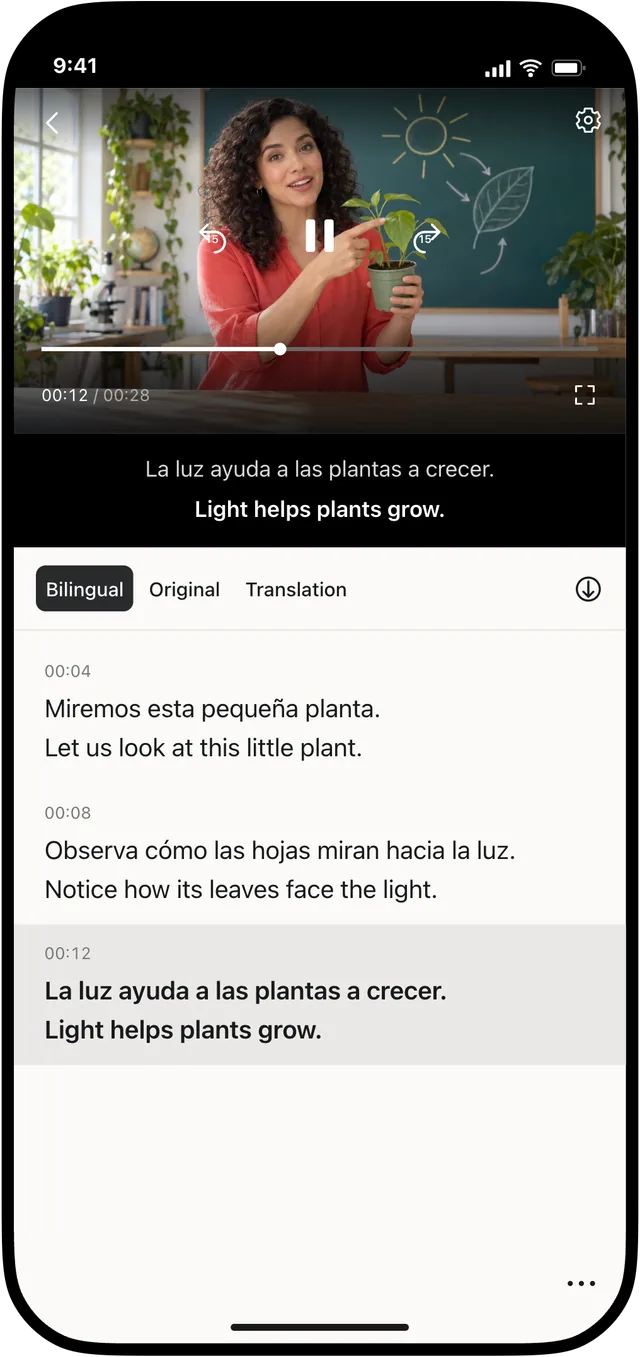
You do not need to prepare subtitles for the whole video before you start watching. Open the local video in Transly, choose the languages, and follow the translation as the video plays.
Open the video
Use Transly’s local video entry and choose a file from Photos or Files. If the file is stored in iCloud or another cloud drive, download it to the device first. Check that the original video has audible speech.
Choose the languages and play
Set the language spoken in the video and the language you want to read. Start playback and allow the first translated lines to appear. You can begin watching without waiting for the entire video to be processed; a connection and a short start-up period are still needed.
Keep the original subtitles visible if you want to check names or unfamiliar words against the translation. Pause or replay a passage when you want more time to read it.
If the video is in another app
A download button is not required for cross-app translation. Leave the video in TikTok, YouTube or your live-streaming app and use cross-app audio translation.
If you need to edit and export subtitles
Watching and preparing a finished subtitle file are different tasks. For a project you want to correct, style and export, follow the Video Translator guide. You can keep using Transly’s local player when your goal is simply to understand what you are watching.